BACK
PROJECT / 2026

路地裏環境

Back Alley Environment by Blender

制作時間 約25時間
FINAL RENDER 01
FINAL RENDER 02
FINAL RENDER 03

Swipe sideways to view all images

01 / INFORMATION

Project
Information

Year
2026
Role
Environment Design / 3D Modeling
Tools
Blender / Photoshop
Duration
約25時間
Output
Still Image / Environment Visual

Concept

東京の路地裏をモチーフに、狭い空間特有の圧迫感と生活感を3DCGで構成した。

Challenge / Process

配管や室外機に加え、自作したポスター、ステッカー、落書きを組み合わせ、環境に物語性を与えた。

Learning / Outcome

モデリングからマテリアル、ライティング、レタッチまで、環境表現の制作工程を一貫して整理した。
02 / PROCESS

制作プロセス

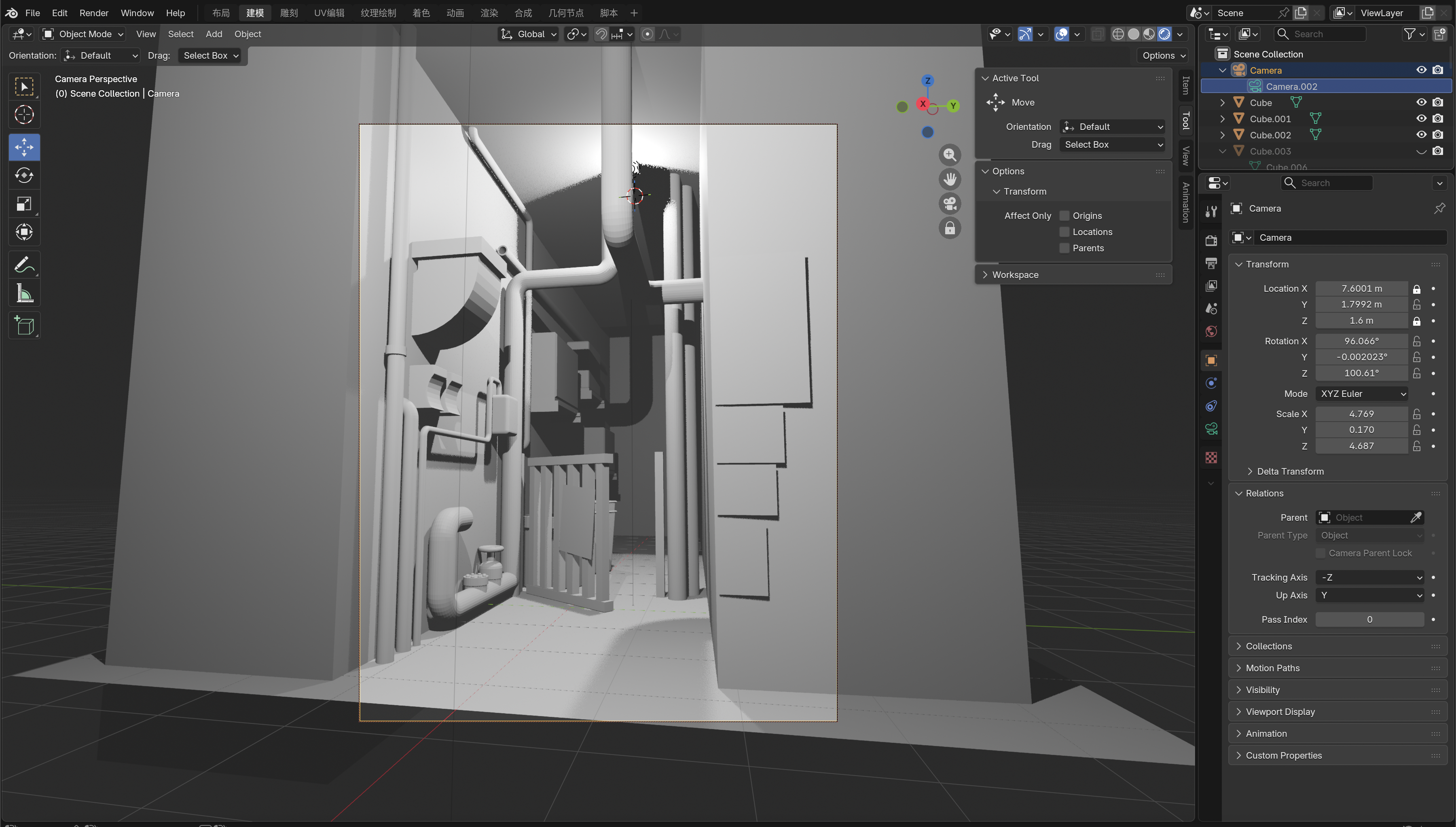
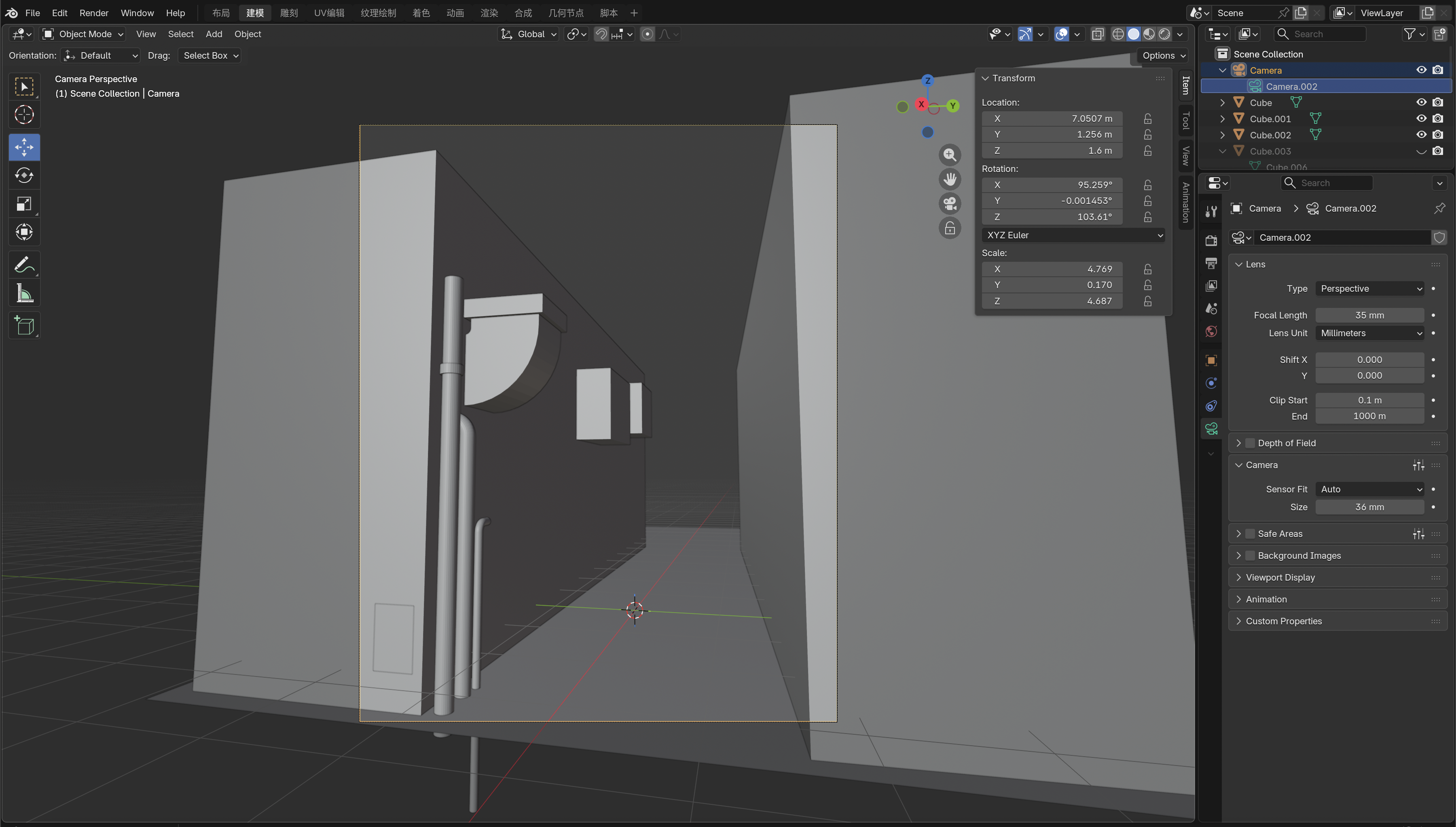
Initial Blender blockout and camera composition
Process 01

Blockout

路地の幅、壁面の高さ、カメラ位置を検討しながら、基本となる空間をプリミティブ形状で構成した。
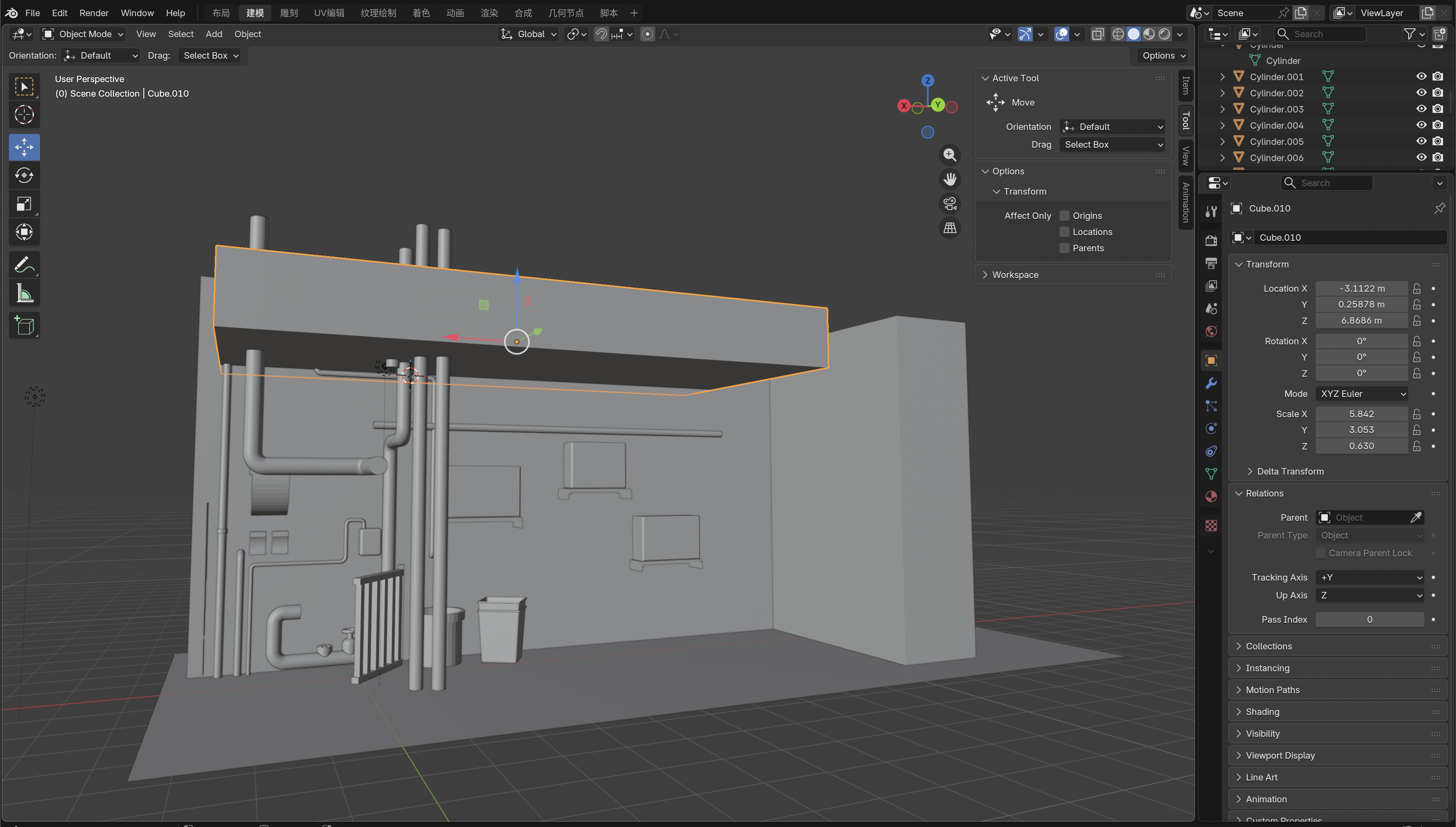
Blender modeling of walls, pipes and structural elements
Process 02

Structure

壁面、床、屋根に加え、配管や室外機、フェンスなど、路地を構成する主要な構造物をモデリングした。
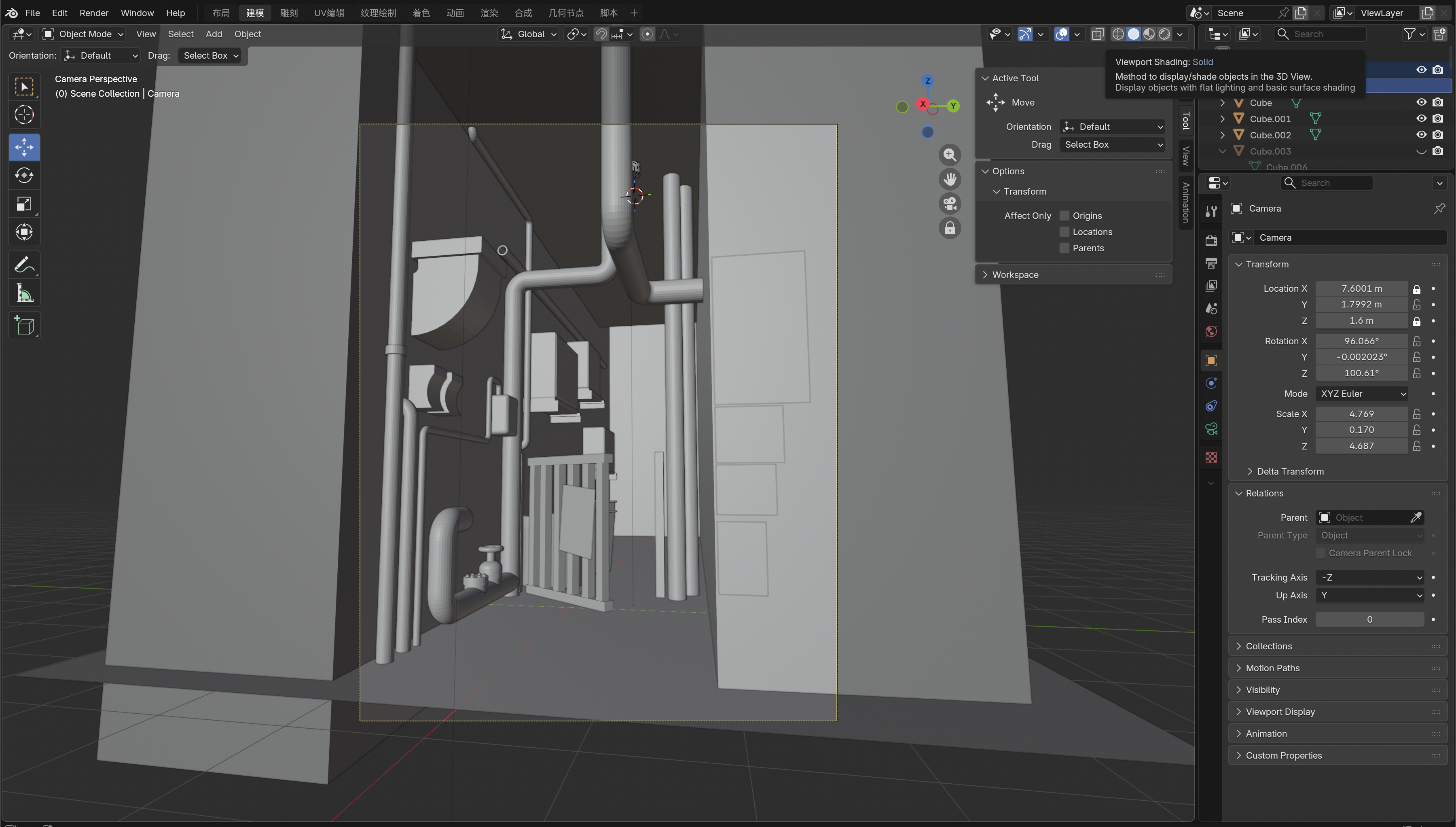
Camera view test during the modeling process
Process 03

Camera

狭い空間の奥行きと圧迫感が伝わるよう、縦位置のカメラとパースを調整した。

Lighting and shadow test in Blender
Process 04

Lighting Test

陰影によって空間の密度と不穏な雰囲気が生まれるよう、光源の位置と強さを検証した。
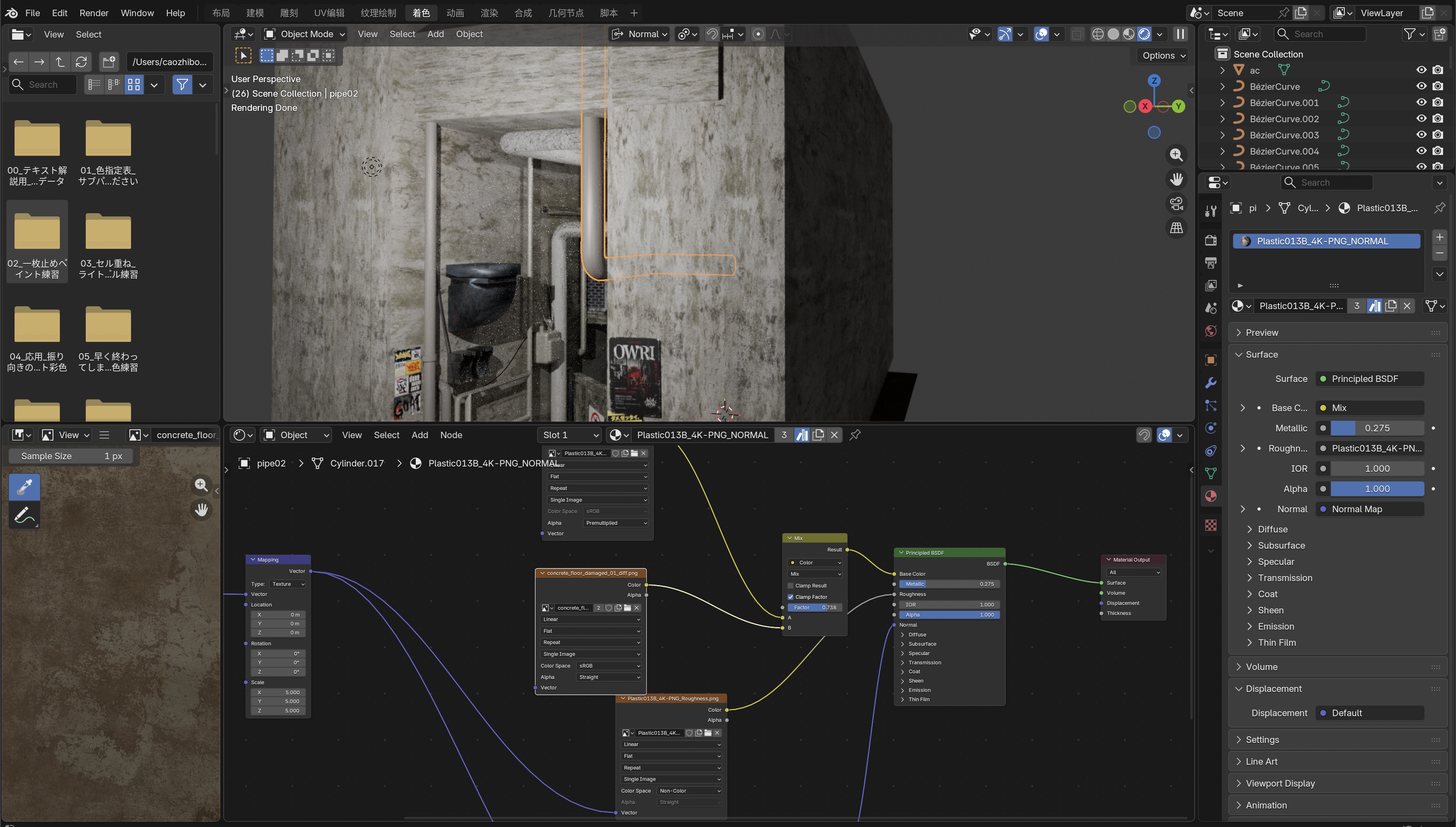
Material node setup and texture adjustment in Blender
Process 05

Material

コンクリート、金属、樹脂の質感を作成し、汚れや経年変化が感じられる表面へ調整した。
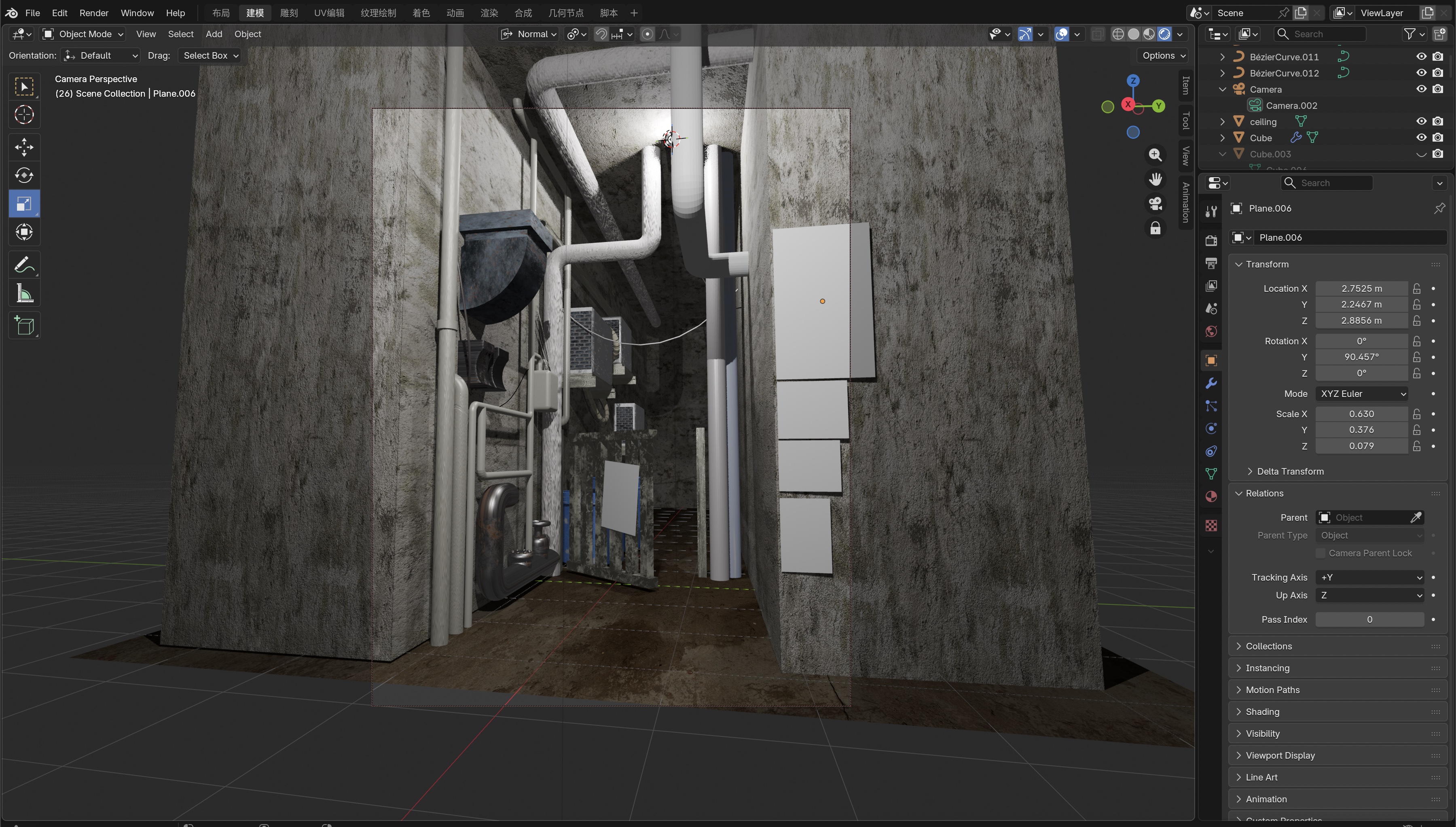
Textured alley environment before graphic details were added
Process 06

Texture

各オブジェクトへマテリアルを適用し、壁面や床、配管の色と反射を全体のトーンに合わせた。
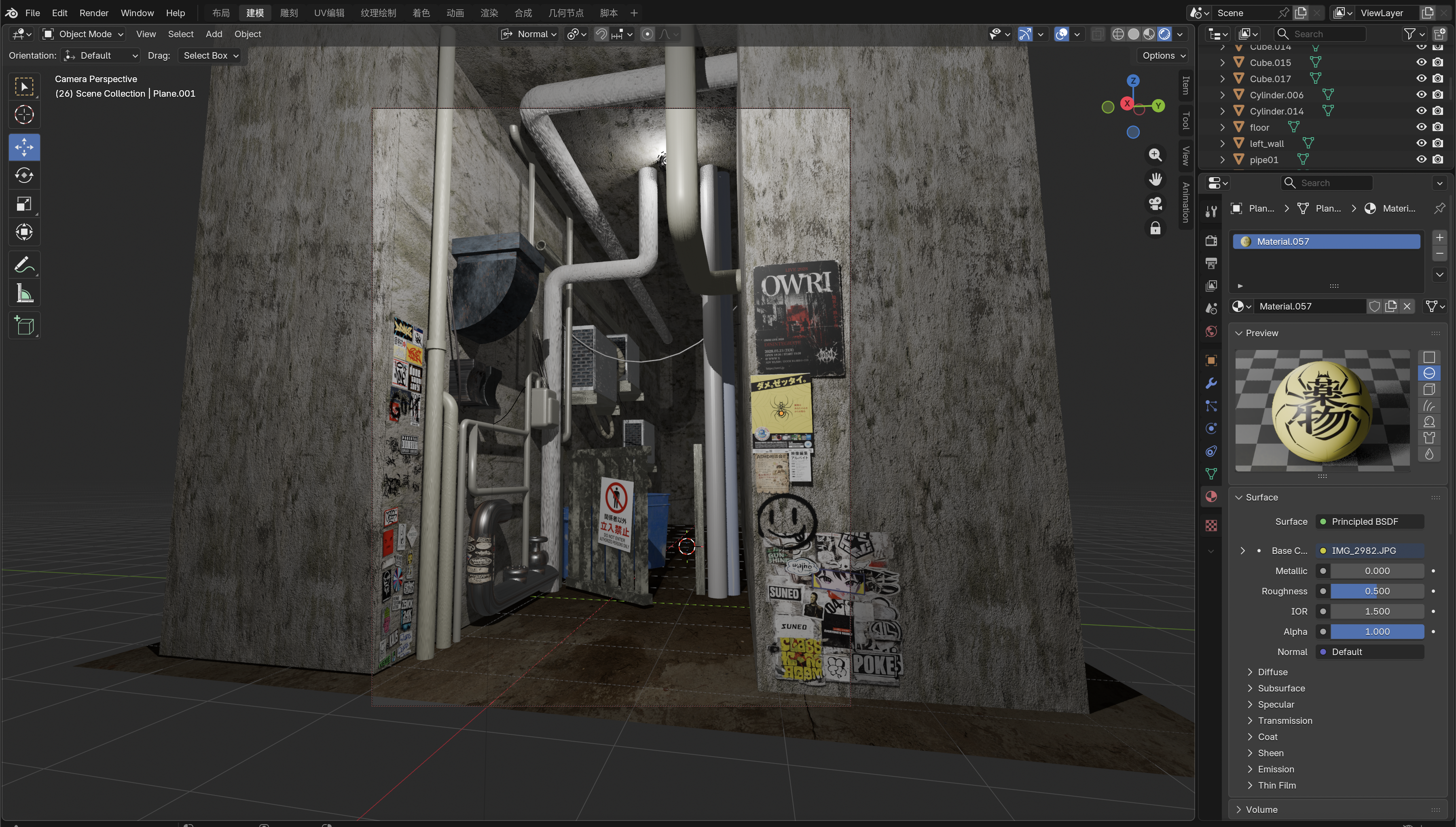
Final detailing stage with posters, stickers and graffiti
Process 07

Graphic Details

自作したポスター、ステッカー、落書きを配置し、都市の生活感と時間の蓄積を加えた。

Process 08

最終レンダリング

最終レンダリングを行い、ライティング、マテリアル、色味、カメラ構図などの各種微調整を重ね、最終的な画面を仕上げた。

Process 09

レタッチ・仕上げ

Photoshopを使用して、明暗、コントラスト、色味、質感などを調整し、作品全体の雰囲気を整えて最終的な仕上げを行った。